A physics game on a custom solver.
Verlet Voyage is a physics adventure for children aged 6 to 10. It runs on a Verlet integration system and collision engine I wrote from scratch, so objects stretch, bounce and deform instead of behaving like rigid bodies. Players guide Golf across handmade levels to reunite with Orb, and learn cause and effect by trying things, without written instructions.
The visual style is stylised 3D rendered as 2D. There is no explanatory text; visual and physical cues show players what they can try. Each level works as a small physics playground.
It was also the practical part of my dissertation, on physics feedback and children's sense of agency.
Original / no internet assets applies to the core algorithms, assets, interactions and models, all self-developed. It does not cover music or skybox materials.
Affordance, emotion, MDA.
Theoretical context
- Affordance theory: following Gibson's ecological psychology and Norman's application in HCI: how visual and material cues suggest possible actions, particularly in nonverbal interfaces built for children.
- Emotional design: how a system can communicate emotion through its behaviour and response, without text.
- MDA: the mechanics, dynamics and aesthetics framework, used to connect the low-level Verlet simulation to emergent play and to how the game feels.
Comparative analysis
Angry Birds, Getting Over It and World of Goo, studied for how different physics models shape player agency and emotional tone.
Custom physics in place of rigidbodies
- Verlet integration to simulate particles and linked points that retain natural movement over time.
- Constraint solving that keeps positional integrity while still allowing flexibility and deformation.
- Collision detection written to account for softness, elasticity and impact behaviour without native colliders.
I tuned the simulation over many iterations so that it feels light and forgiving for younger players.
Verlet and Euler, side by side
A physics engine moves every point forward one small time step at a time. The simplest method, explicit Euler, works out each new position and velocity from the values of the step before. On a spring, that adds a little energy at every step, so the motion grows until the object comes apart. Verlet integration keeps each point's current and previous position and works out the velocity from the two. It does not let a spring's energy grow, and because the velocity follows from the positions, the game can move points directly to hold a body together. That is how Golf keeps its shape.
Explicit Euler
Verlet
Interaction and levels.
Player-centred interaction
Simple controls with no text or tutorial, and detailed physical response.
Physics as expression
Stretching, bouncing and wobbling are tuned to show cause and effect without words.
Emergent play
Levels allow more than one solution. The cues are in the visuals and the physics, so players find their own route.
Control and launch
Players drag from Golf's body and release in the opposite direction to where they want to go, like a slingshot. The launch is driven entirely by the custom solver's tension, elasticity and soft-body rebound.
- Aim: click or tap and drag; a dashed directional line shows the intended trajectory.
- Tension: line length sets launch force: a long line throws hard, a short one gives a small, precise push.
- Release: golf deforms slightly on takeoff, then rebounds and responds to collisions naturally.
Level flow across ten stages
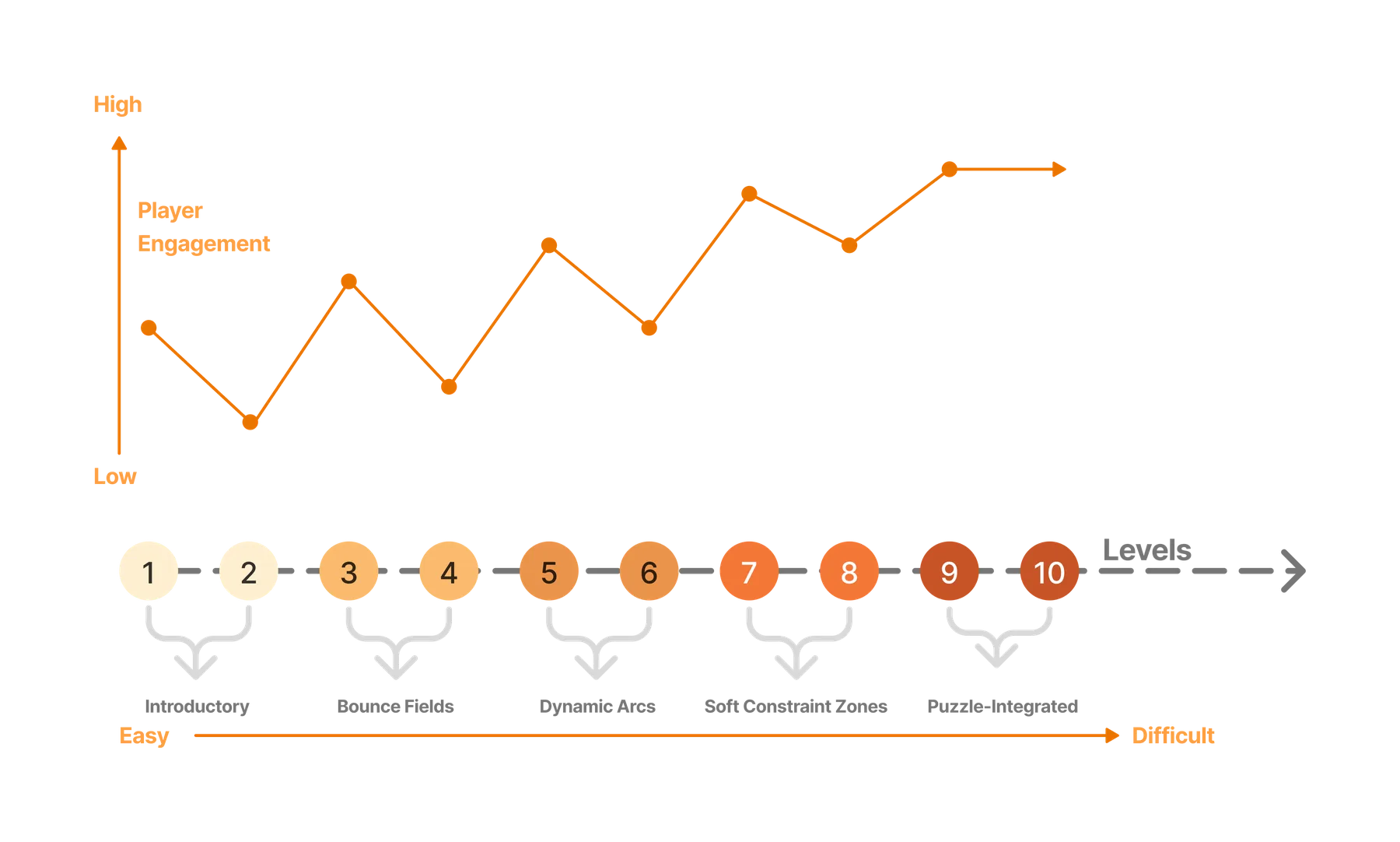
- Levels 1 and 2, introductory: simple launches and forgiving layouts to build confidence.
- Levels 3 and 4, bounce fields: angular surfaces and ricochet.
- Levels 5 and 6, dynamic arcs: motion prediction and curvature-based targeting.
- Levels 7 and 8, soft constraint zones: players use deformation and elasticity to get around.
- Levels 9 and 10, puzzle-integrated: all of the above, combined.
Visual and UI
The world is built from rounded shapes (circles, arcs, smooth curves) so the visuals match the elastic physics. Bounce pads and deformable areas are marked by shading, saturation and geometry, so no instructions are needed. The UI is icon-based with minimal text. The palette is warm (oranges, yellows and creams), and the contrast between orange Golf and black Orb keeps attention on them.
Sound
The sound includes collision sounds that make the physics easier to read, interface sounds that confirm actions and reward progress, and calm music that changes slightly from level to level.
Shown at the UCL BA Media Degree Show, May 2025.
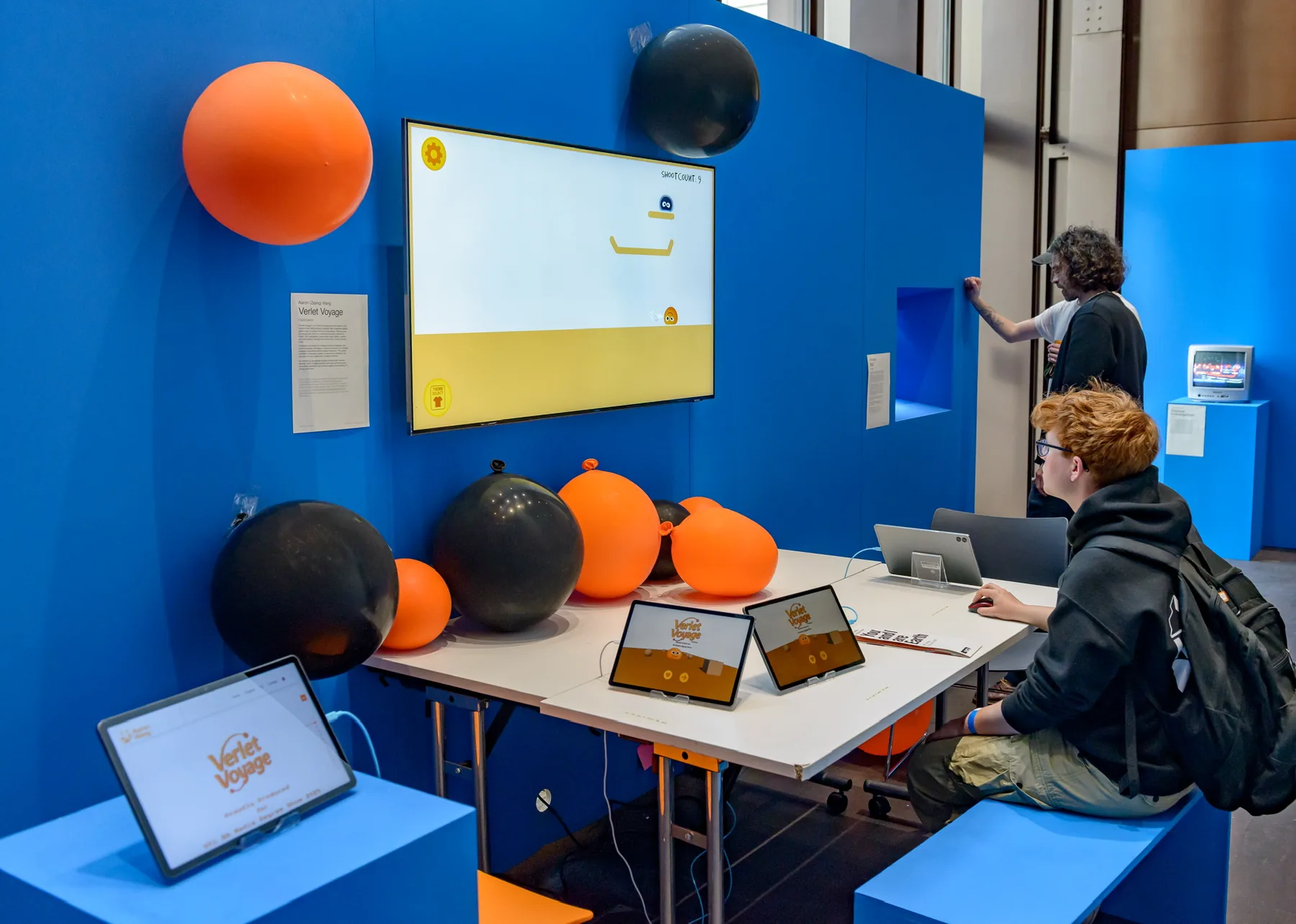
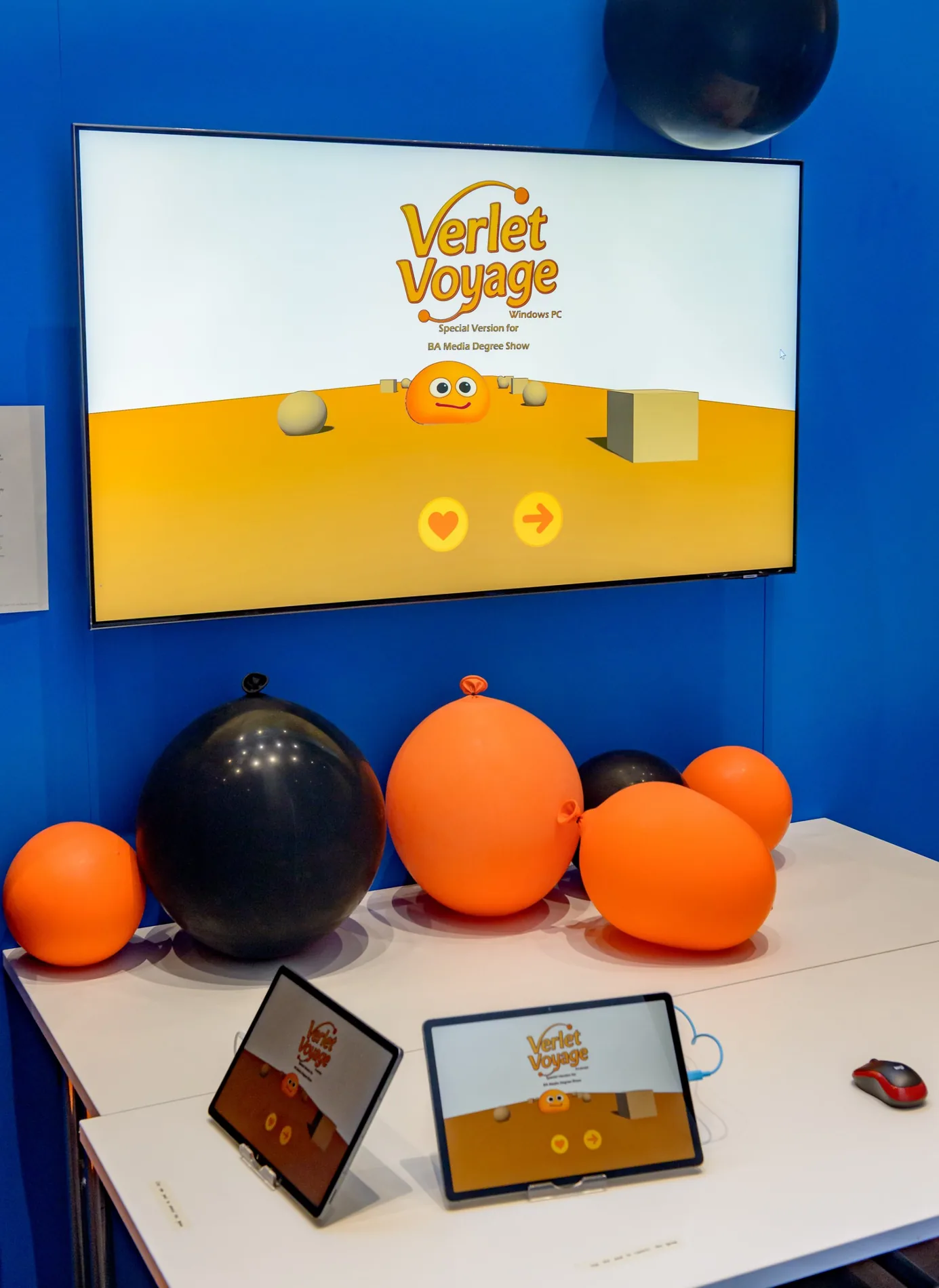
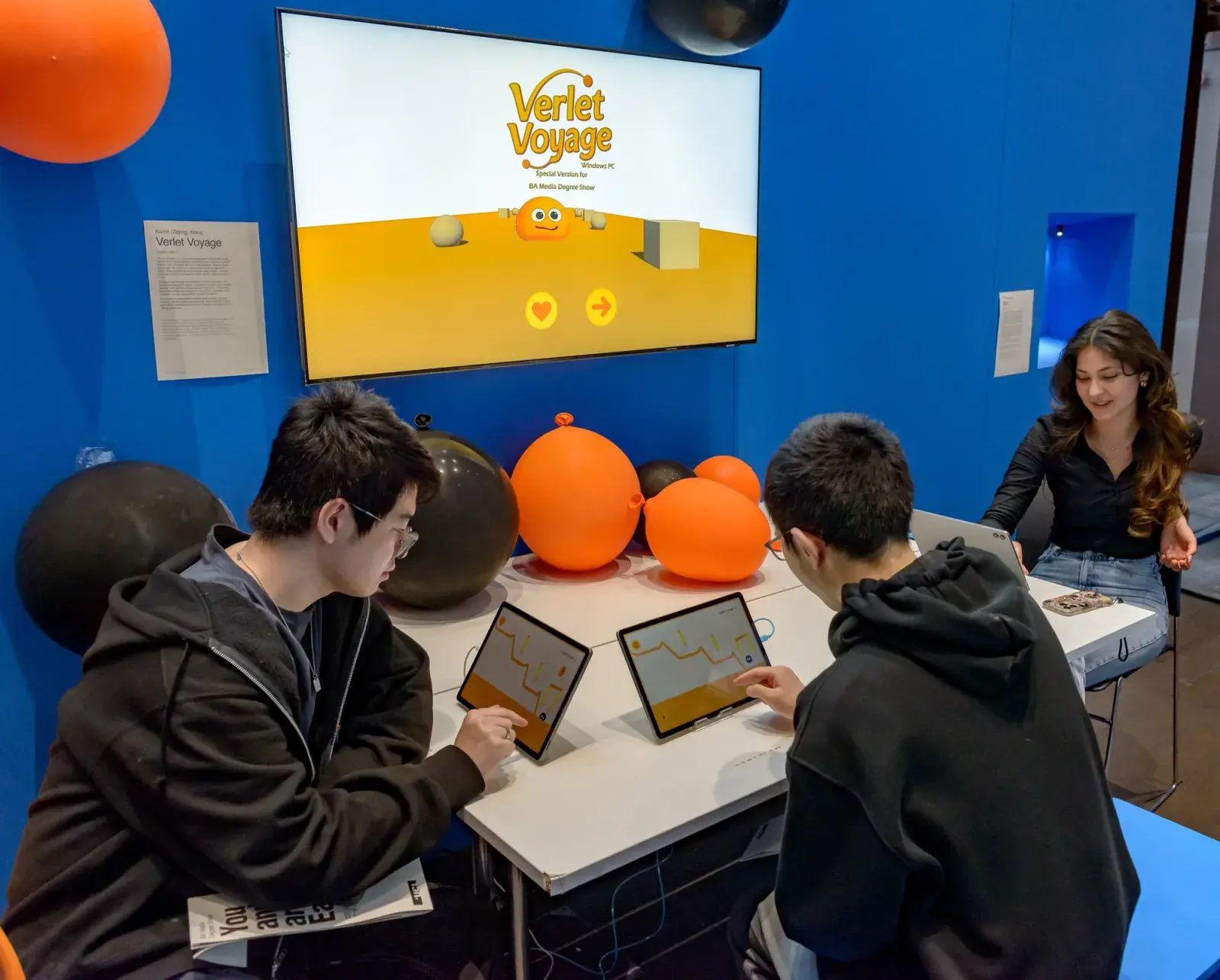
Verlet Voyage was shown at the UCL BA Media Degree Show in May 2025. Visitors played on a wall-mounted screen with a mouse at the table. Tablets on the table showed the title screen, and balloons in the orange and black of Golf and Orb sat on the table and the wall.


Technical appendix: the solver, the level editor, the shaders
Solver, editor, shaders.
The core system
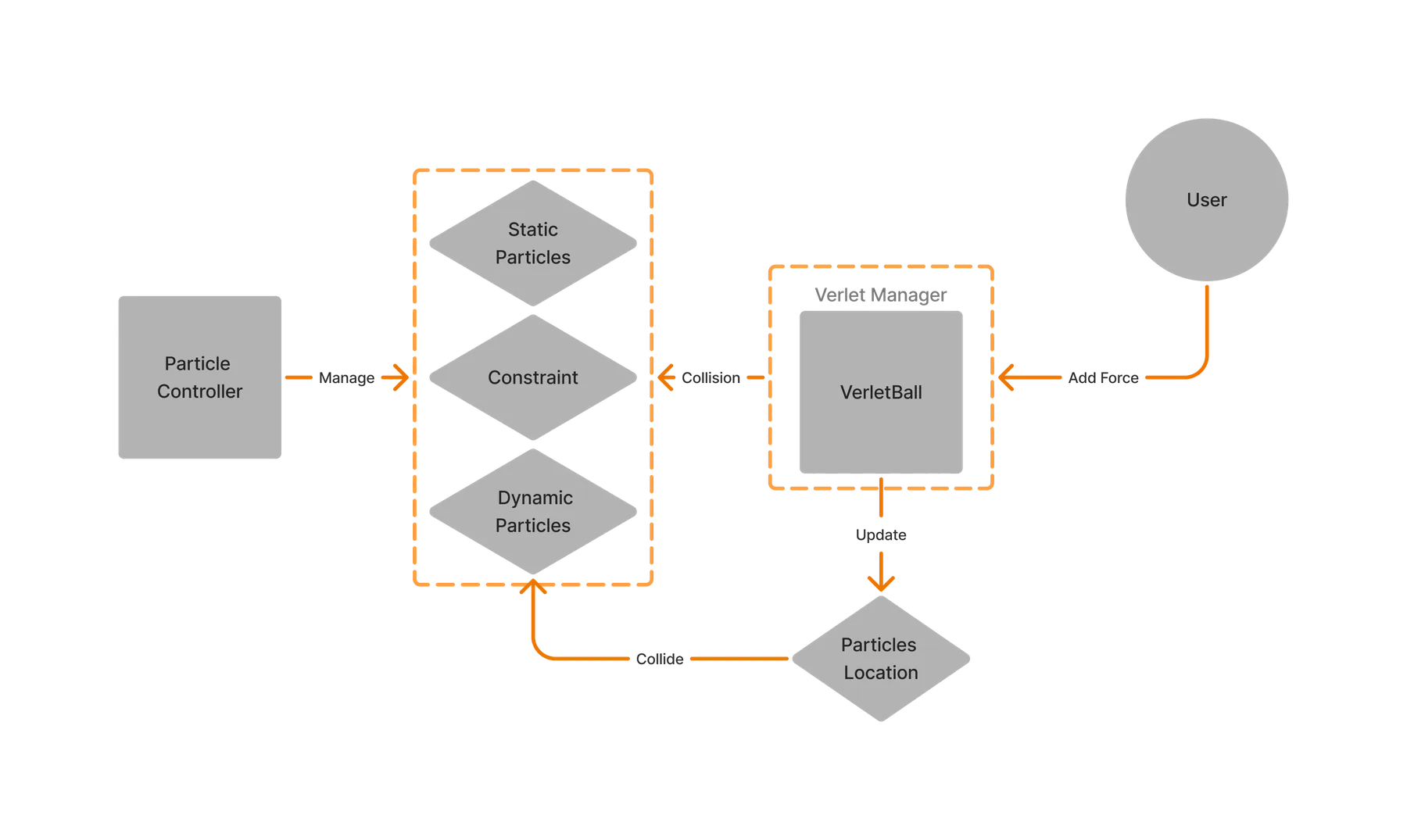
The simulation loop: the user applies force, so the ball receives an impulse. The VerletBall updates through integration and constraint solving. Collisions resolve against particles and constraints. Particle positions update. The loop runs until the ball stops moving.
- Ball constraint: fixed-length constraints and custom elastic behaviours preserve shape and volume.
- Inflate constraint: an optional internal-pressure constraint keeps the body round and puffy under load.
- Collision: ground collision, edge collision against static geometry, and dynamic collision against moving objects.
The environment is built from static particles (walls, pins), dynamic particles that can be pushed, and constraints that define spring-like relationships between them. Anti-gravity zones and directional forces add movement that is deliberately not realistic.
A custom level editor
Tilemaps and prefab composition are not enough for a physics-driven world, so I built an editor into the ParticleController component that draws collision environments directly in the Scene view.
- Key modifiers place geometry: S adds a static particle used as a wall or anchor, A adds a dynamic particle and connects it to the last static one, W adds a standalone static particle.
- Clicking two existing particles connects them with a constraint; constraint type, thickness, colour and material are configurable per type.
- A constraint creation mode lets designers define relationships by hand for composite or maze-like structures.
- Levels serialise positions, static/dynamic state and constraint data to JSON-like structures for reuse, with loading deliberately delayed so physics and rendering are ready before instantiation.
Shaders and effects
An edge shader accentuates object boundaries so soft, toylike assets stay crisp and readable. Luminance from neighbouring pixels is evaluated with a Sobel operator for horizontal and vertical gradients, combined into edge intensity, then blended with object colour. The result is a smooth, clear outline that makes objects easier for younger players to read. A confetti particle system with randomised colours and directional bursts rewards level completion.
Iterating the ball
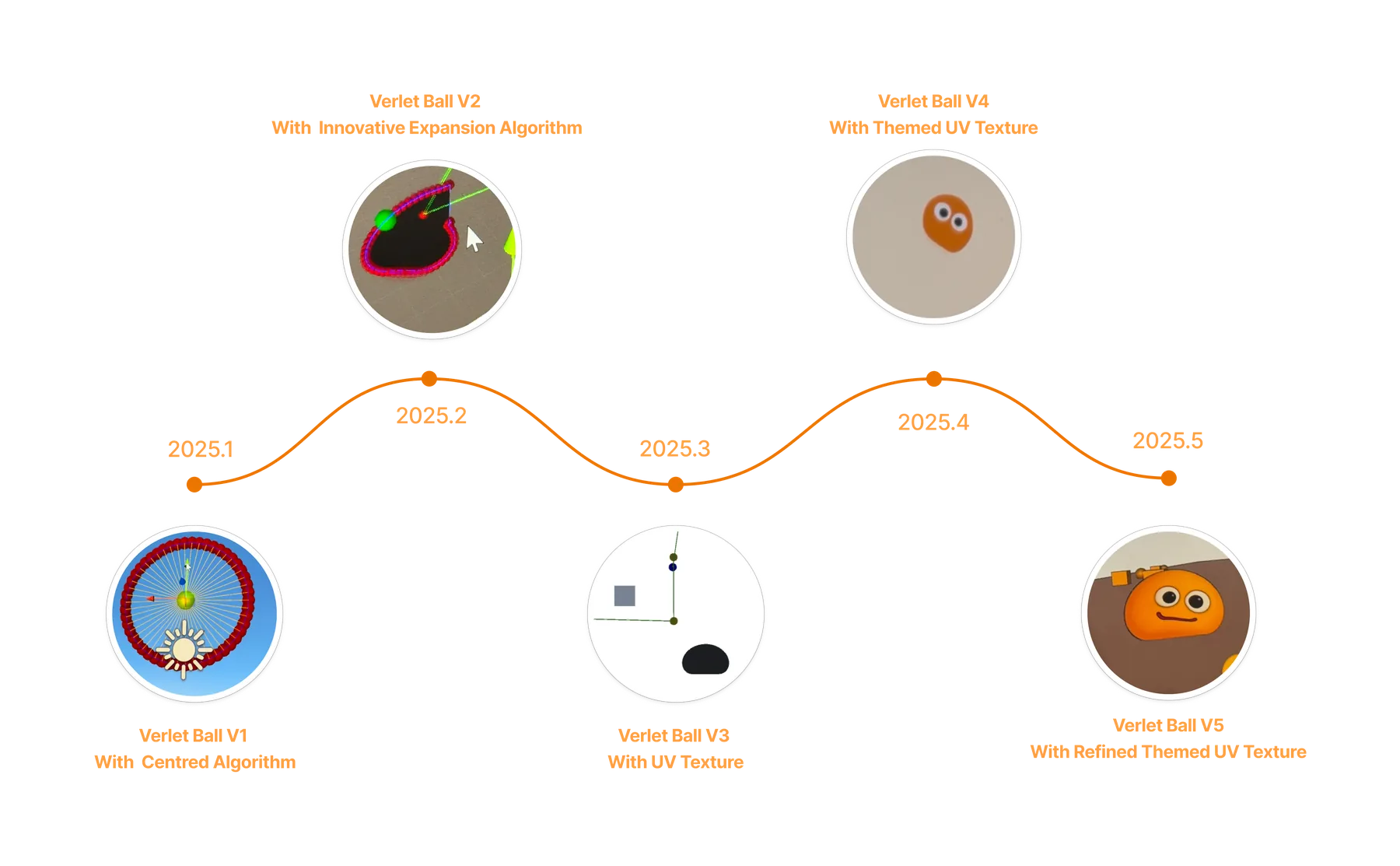
Alpha, beta, postmortem.
Alpha playtests were informal formative playtests with children in the target age range. They focused on how children understood soft-body motion and physical feedback, and they led to the interaction changes.
Beta widened the audience and produced bigger changes: a full redesign of level layouts, a reworked launch system for better control, and fixes to bugs that were breaking gameplay flow.
Went well
- A fully custom Verlet integration and constraint-based physics system, shipped, without Unity's rigidbody engine.
- A consistent 3D-to-2D art style that stayed clear for young players.
- A child-friendly interaction model built on physical affordance, with almost no tutorial or text.
- Original shaders and sound layers reinforcing tactile feedback and emotional tone.
- Informal beta playtests with children suggested the controls were intuitive and the physical interaction carried emotion.
Could improve
- The custom collision system lacked rotation and compound-shape support, which limited puzzle complexity.
- Level scenery could vary more to help players orient themselves.
- The difficulty curve between levels 4 and 6 shifted too abruptly and frustrated some testers.
- UI responsiveness on small screens: some buttons misaligned in early mobile builds.
- The story was thin. Environmental storytelling or cutscenes would help.
Thanks
Developed as degree work. Thanks to my parents and friends for their feedback, and to the UCL faculty for academic and creative guidance, particularly Mr William Sykes and Dr Dane Sutherland.